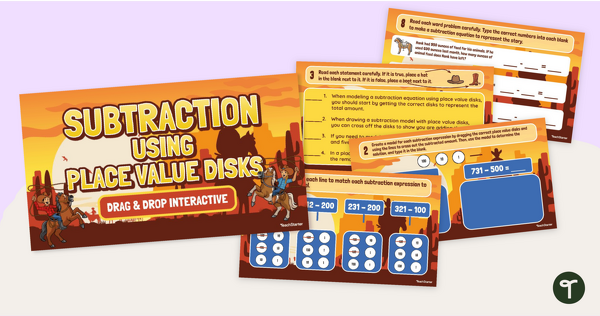

Practise subtracting multiples of 100 using place value counters with an interactive drag-and-drop activity.
New to Using Place Value Counters for 3-Digit Subtraction?
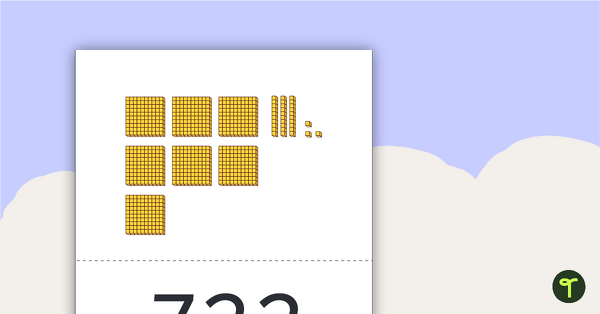
Subtracting with place value counters (also known as place value disks) is a hands-on method of teaching subtraction using physical manipulatives called place value counters. Place value counters represent the different place values in our number system, such as ones, tens, hundreds, etc.
Using place-value counters allows students to visually and physically understand the concept of subtraction by manipulating the counters to represent numbers and perform subtraction. Similar to MAB blocks, the place value counter is an easy-to-use, easy-to-understand option for modelling subtraction with and without regrouping.
The Perfect Starter Activity for Introducing Place Value Counters
This digital interactive resource is the perfect activity for those first introductions to the world of place value counters. This drag-and-drop interactive provides students with numerous opportunities to practise subtracting multiples of 100 from three-digit numbers by manipulating place-value counters.
With a fun cowboy theme, this interactive activity encourages students to get to know this handy tool by completing the following types of interactions.
- Matching subtraction expressions to their place value counter models
- Modelling and crossing off place value counters to subtract
- Read and determine if statements are true or false in relation to visual subtraction models.
- Writing equations to match place value counter models.
- Solving subtraction word problems using place value counters.
- Writing equations to match 3-digit subtraction word problems.

Download and Print Your Place Value Counter Subtraction Activity
You’re just a click away from getting your new resource! Use the dropdown arrow on the Download button to select either the editable Google Slides file or the PowerPoint slide deck. If you choose the Google Slides file, please note that you will be prompted to make a copy, which will then be saved to your own Google Drive.
** Be sure to use this resource in Edit mode, NOT Presentation mode, to enable the features of each slide.
This resource was created by Lorin Davies, a Teach Starter Collaborator.
More Subtraction Strategy Fun!
Are you looking for more subtraction strategy resources to complete your lesson planning? We’ve got just the ones for you.
[resource:4967234] [resource:4972045] [resource:4967089]

0 Comments
Write a review to help other teachers and parents like yourself. If you'd like to request a change to this resource, or report an error, select the corresponding tab above.