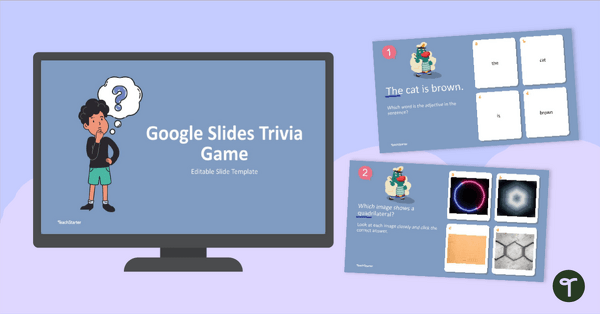
Create an interactive warm-up, review, or assessment activity for any subject area with this Google Slides Trivia Template.
Multiple Choice PowerPoint Template for Custom Classroom Games
Bring energy and engagement into your lessons with this multiple-choice PowerPoint template designed for teachers! This editable slide deck makes it easy to create your own trivia-style games to review content, quiz students, or celebrate special events in a fun, interactive way. Just type in your questions and answers, and you’re ready to play.
Google Slides Trivia Template – Low Prep Classroom Fun
Looking for a fast and flexible game you can use again and again? This Google Slides trivia template is editable, easy to use, and ideal for projecting in class or sharing remotely. Whether you’re reviewing science facts, spelling words, or historical dates, your students will love clicking through the animated game slides as they compete for the right answers.
This trivia template is designed to be fully editable and ready to use in just a few steps.
- First, right-click the question slide and select ‘Duplicate Slide’. Make as many copies of this slide as you need for your questions.
- Next, you will need to edit your question slides to include the question number, image, questions, and answer choices. We have also included a question slide template that uses images. See the diagram included for information on placement.
- Once each slide contains the information needed, it is time to go through and insert answer slides.
- Select your first question slide, right-click and select ‘Duplicate Slide’.
- Select the correct answer on the duplicated slide and change the font color to green.
- Now, select your next question slide and repeat this process until you have an answer slide following each question slide.
- Now place your trivia game in presentation mode, and you are ready to begin!
Download Your Google Slides Game Template
This versatile Google Slides game template includes multiple slides with built-in navigation for questions and correct/incorrect responses. Customize the text, colors, and themes to match your lesson, event, or classroom style. Add your own audio, images, or bonus rounds to make the game truly your own!
More PowerPoint Game Templates for Interactive Learning
Prefer using PowerPoint? The download also includes a matching PowerPoint game template version, giving you the flexibility to choose the platform that works best for you. But don’t stop there! We’ve got even more PowerPoint Game templates for you to check out!
teaching resource
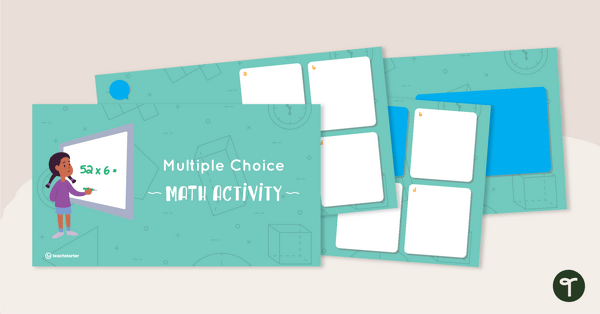
Interactive Multiple Choice PowerPoint Template - Mathematics
Create an interactive math warm-up, review or assessment activity with this 11-slide PowerPoint template.
teaching resource
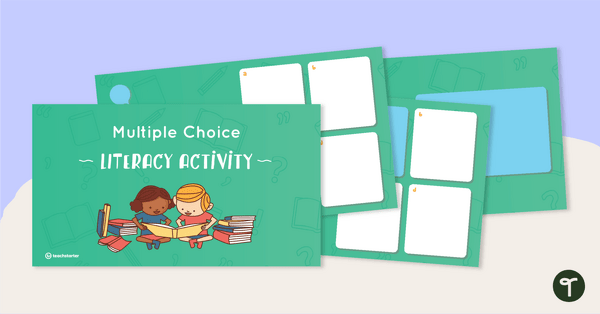
Interactive Multiple Choice PowerPoint Template - Literacy
Create an interactive literacy warm-up, review or assessment activity with this 11-slide PowerPoint template.

0 Comments
Write a review to help other teachers and parents like yourself. If you'd like to request a change to this resource, or report an error, select the corresponding tab above.