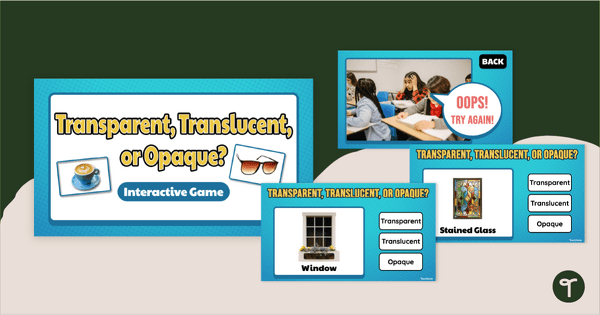
Explore how light interacts with a variety of materials with an engaging Transparent, Translucent, or Opaque Game.
Light Up Your Lesson With Our ‘Transparent, Translucent, or Opaque?’ Game
Understanding how light moves through different materials helps students build foundational science knowledge about light, visibility, and material properties. This ‘Transparent, Translucent, or Opaque?’ Game gives learners hands-on practice identifying how everyday objects interact with light.
To play this ‘Transparent, Translucent, or Opaque?’ Game, your students will examine photographs of common objects such as plastic wrap, stained glass, baking paper, bubble wrap, and aluminum cans before deciding whether light passes through completely, partially, or not at all. It’s perfect for whole-class review or for independent practice.
How to Play This Light Transmission Science Game
Challenge students to investigate how light travels through different materials with this engaging light transmission science game. To play, students analyze photographs of everyday objects and choose whether each item is transparent, translucent, or opaque by clicking the appropriate button. Incorrect answers result in a gentle reminder to try again, while correct answers advance students through the game. This game features:
- Image-based classification questions featuring everyday objects
- Three response choices: Transparent, Translucent, and Opaque
- “Oops! Try Again!” feedback slides
- “Great Work!” completion slide
- Real-world examples of common materials and objects
Download This Light Interaction Game
Need to customize this Light Interaction game for your classroom? Simply click the dropdown arrow on the download button and choose between the PowerPoint and editable Google Slides formats.
To edit the content on the Google Slides version, use the menu to select ‘View’ and ‘Slide Master’. If editing inside PowerPoint, use the menu to select ‘View’, then ‘Master’, and finally, select ‘Slide Master’.
This resource was created by Haley Martinez, a teacher in Texas and Teach Starter collaborator.
More Tools to Classify Transparent, Translucent, and Opaque Materials
Looking for more ways to help students classify transparent, translucent and opaque materials? Pair this resource with one of these engaging activities!
teaching resource
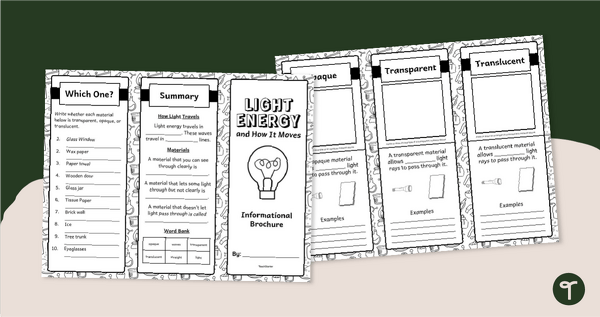
Light Energy Brochure - Opaque, Transparent and Translucent Materials
Explore transparent, translucent, and opaque materials with a printable Light Energy Brochure Template.

teaching resource
Seeing Light - Transparent, Translucent, Opaque Materials Experiment
Explore samples of transparent, translucent, and opaque materials with an engaging Light Energy Experiment.
teaching resource
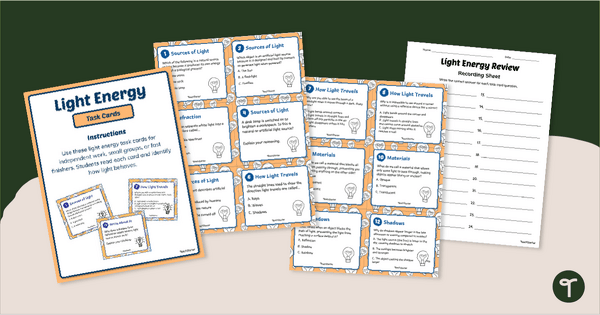
Light Energy Task Cards
Review or assess student knowledge of light energy with a set of printable Light Energy Task Cards.




0 Comments
Write a review to help other teachers and parents like yourself. If you'd like to request a change to this resource, or report an error, select the corresponding tab above.