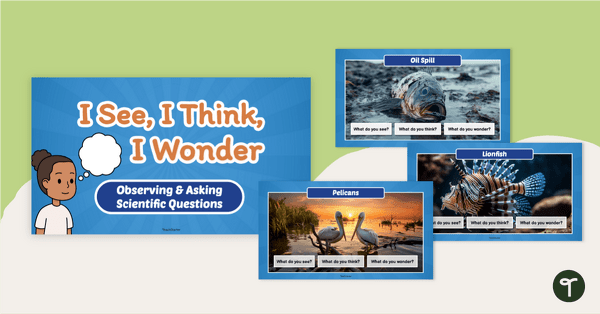
Teach students to ask scientific questions, make observations, and inspire discussions with this ‘I See, I Think, I Wonder’ Science Inquiry PowerPoint.
Teach Students to Ask Questions & Think Like Scientists
Spark curiosity and meaningful scientific discussions with an engaging 24-slide Google Slides/PowerPoint presentation designed to inspire young learners to observe, think, wonder, and talk like real scientists.
This visual teaching tool supports students as they learn to ask scientific questions, make careful observations, and engage in rich discussions with their peers.
What’s Inside This Scientific Thinking Slideshow?
This presentation features a collection of high-interest picture prompts, including animals, natural scenes, mysterious objects, real-world scenarios, and more. Each image is paired with simple, animated discussion prompts to guide students’ thinking:
- I See… Students describe what they notice using observable details.
- I Think… Students share ideas or predictions based on their observations.
- I Wonder… Students develop scientific questions that can lead to investigation or discussion.
These structured prompts help build early scientific thinking skills while encouraging vocabulary development, oral language, and collaborative learning.
If you prefer students to write or draw their responses, this resource also comes with three optional recording sheets.
Download This Scientific Inquiry PowerPoint
Ready to begin? It’s easy with this resource. You can download this Scientific Inquiry PowerPoint with just a few clicks!
This resource is available in both PowerPoint and editable Google Slides format. To get your copy, click the dropdown arrow on the download button and choose your preferred file type.
This resource was created by Lindsey Phillips, a teacher in Michigan and Teach Starter Collaborator.
More Science Inquiry Lesson Ideas
Looking for more science inquiry lesson ideas? We’ve got plenty! Make sure you check these out before you go!
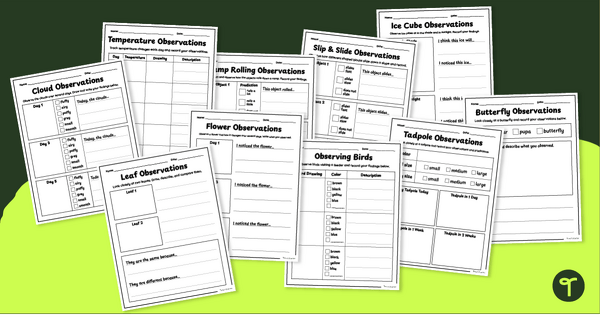
teaching resource
Scientific Prediction & Observation Templates (K-2)
Introduce your early learners to scientific inquiry skills with a set of printable Scientific Observation templates.
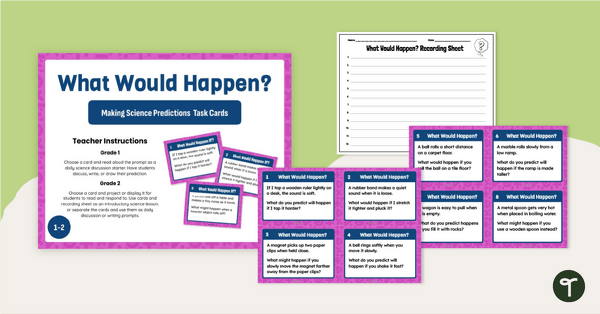
teaching resource
What Would Happen? Science Prediction Activity Cards
Read, discuss, and write scientific predictions in the classroom with a set of printable Science Prediction Activity Cards for students in Grades 1-3.
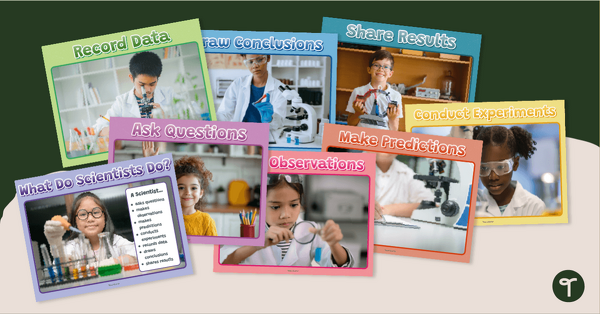
teaching resource
Scientific Method - Scientist Poster Pack (K-1)
Help your little learners understand the scientific method with a set of ‘What Do Scientists Do? Kindergarten Science Posters.

0 Comments
Write a review to help other teachers and parents like yourself. If you'd like to request a change to this resource, or report an error, select the corresponding tab above.